Clearhive

Clearhive extension for Internet Explorer
The Clearhive extension for Internet Explorer creates a forwarder for the page you're visiting in two clicks.
Installing
Step 1: Download and run the installer
Step 2: Restart Internet Explorer. Be sure to close and reopen Internet Explorer after running the installer
Creating a forwarder
Step 3: Right-click on any page. This will bring up a menu that looks like the one here:
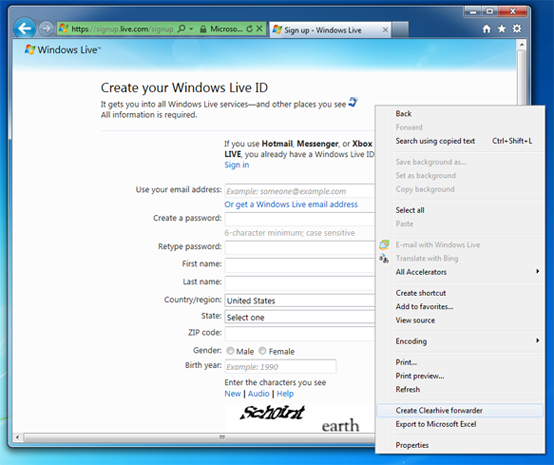
Step 4: Click on Create Clearhive forwarder. You'll find it toward the bottom of the menu.
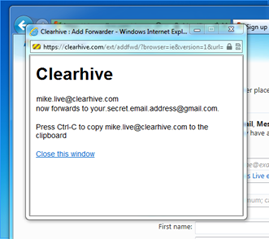
That's it! You'll see a window like the one below that lets you know a forwarder for the page you're on was created. It will also tell you how to copy it to the clipboard.